The following tips might be helpful in solving issues that arise in Enterprise Objects.
| Operation | Error Type | Error Code | Solution |
|---|---|---|---|
|
Installation of CygNet Business Object Builder |
CygNet Business Object Builder failed to install. |
|
Install Microsoft .NET Framework, in accordance with the CygNet System Requirements document. |
|
GetObjectsResp |
Query length exceeded ODBC limit; ODBC failed to open. |
50802 |
Reconfigure the ODBC maximum query size. |
To Install CygNet Business Object Builder
CygNet Business Object Builder requires Microsoft .NET Framework for installation, in accordance with the CygNet System Requirements document. Contact your IT administrator for assistance installing the .NET Framework, and to ensure adherence to the prerequisites listed in the CygNet System Requirements document.
Attempting to install the Business Object Builder without proper prerequisites will generate an error, and installation will fail.
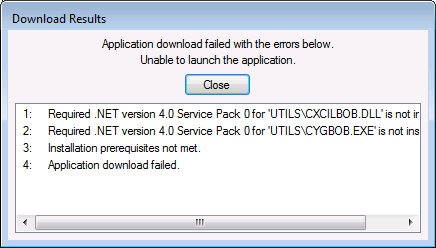
Installation failure using CygNet Client Installer produces the following error message.
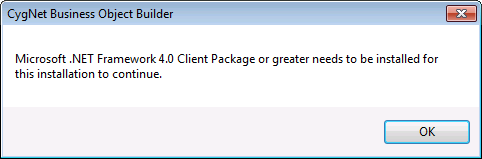
Installation failure using CygNet Business Object Builder Installation produces the following error message.
See Business Object Builder Installation for CygNet Business Object Builder installation procedures, once system requirements are met.
To Reconfigure the ODBC Maximum Query Size

|
|
|

